
Table of Contents
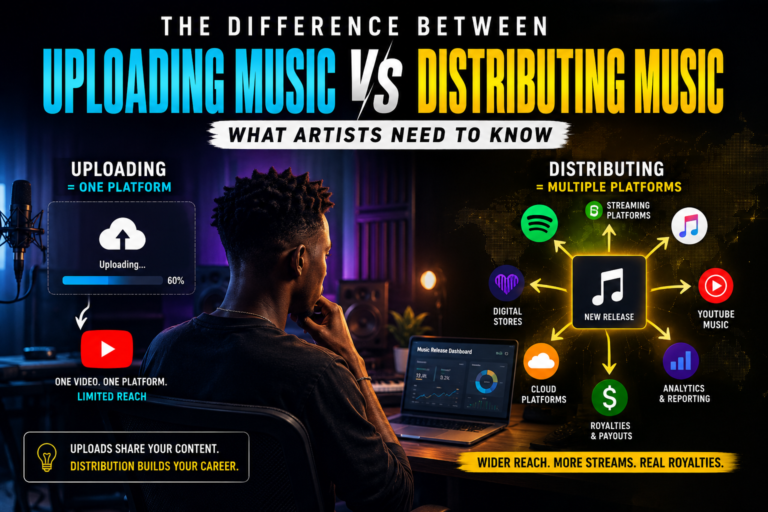
Getting your song onto Spotify is one of the most important steps you can take as an independent artist. But there is a common misunderstanding about the process: you don’t normally upload an audio file directly to Spotify as an independent artist.
Instead, you upload your finished music to a digital music distributor. The distributor delivers your song to Spotify and other streaming platforms, handles the required delivery information, and pays royalties according to its terms. Once your music is live, you can claim and manage your Spotify artist profile through Spotify for Artists. (Spotify for Artists)
That distinction matters because simply having a WAV file and a Spotify account is not enough to release music professionally.
If you’re an artist in Nigeria, a producer releasing your own records, an independent label, or a studio helping clients distribute their music, this guide explains how to upload your song to Spotify correctly, from preparing the master and artwork to choosing a distributor, entering metadata, setting your release date, claiming your artist profile, and pitching your song for playlist consideration.
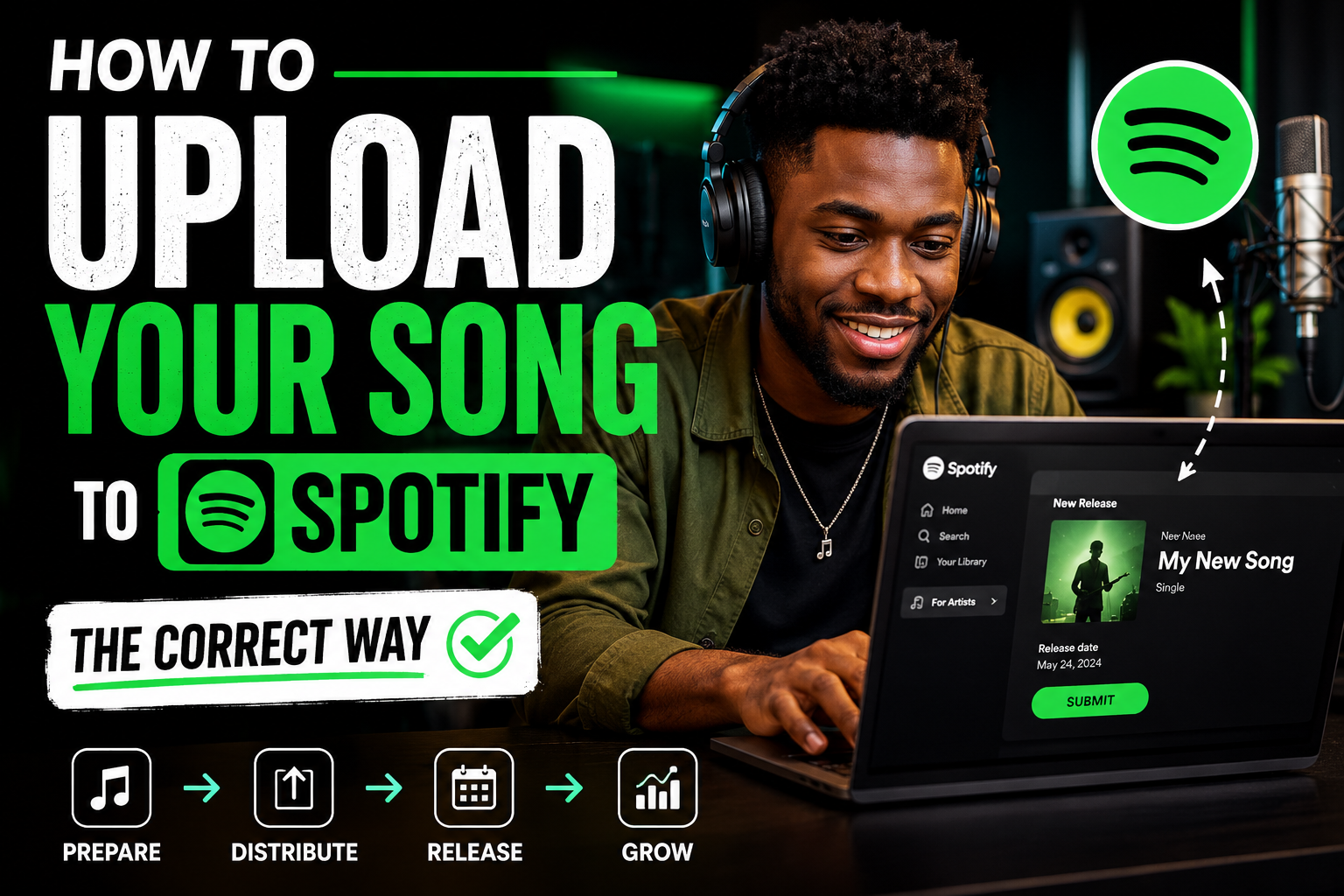
How to Upload Your Song to Spotify: The Correct Process
The correct process is:
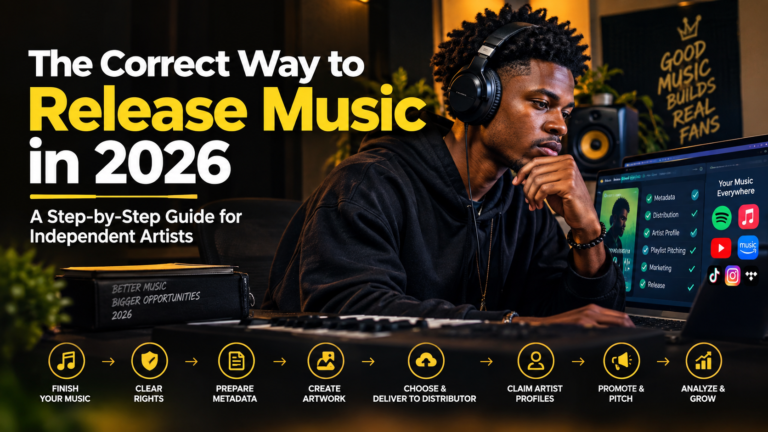
Finish and master your song → prepare your artwork and metadata → choose a distributor → upload the release → select Spotify → set your release date → submit the release → claim Spotify for Artists → pitch the unreleased song → promote the release.
Spotify itself confirms that music is uploaded through distributors rather than directly through the normal Spotify for Artists workflow. Distributors handle delivery to Spotify and other streaming services and pay streaming royalties according to their respective arrangements. (Spotify for Artists)
So, if someone tells you that you need to find a “Spotify upload button” inside a normal Spotify account, that’s not how standard audio distribution works.
1. Make Sure Your Song Is Actually Release-Ready
Before you open a distributor account, make sure the song is finished.
This sounds obvious, but many distribution problems begin before the artist ever reaches the upload page.
Your final release should have:
- A completed arrangement
- Properly recorded vocals and instruments
- Final editing
- Professional mixing
- Professional mastering
- Correct song title
- Correct artist and featured-artist information
- Final cover artwork
- Accurate songwriting and production credits
- A planned release date
For artists working with a studio, this is where a proper production workflow becomes important.
For example, an Afrobeats artist might record a song today and immediately want to upload it to Spotify tomorrow. Technically, a distributor may allow the release to be submitted quickly, but rushing can create unnecessary problems with artwork, metadata, mastering, artist profiles, or promotion.
A better approach is to treat the Spotify upload as the final stage of a release process, not the beginning of one.
If you need help preparing the music itself, Cfatmusic Studios provides Full Music Production Services covering the production process before distribution.
2. Upload the Correct Audio Master
Your distributor will ask you to upload the audio file for your release.
Do not upload an MP3 simply because it is smaller.
Spotify’s current audio-delivery guidance strongly prefers FLAC and also accepts WAV files that meet its technical requirements. Spotify specifies a sample rate of 44.1 kHz or higher, a bit depth of 16-bit or higher, and stereo audio. Spotify also advises artists to deliver their highest-quality native master rather than unnecessarily converting or reducing it before delivery. (Spotify)
What should you upload?
If your mastering engineer gives you a high-quality WAV master, that is generally suitable for distribution provided it meets the distributor’s requirements.
For example:
Good:
My-Song-Final-Master.wav
Not ideal:
My-Song-Final-Master.mp3
The important principle is simple:
Give your distributor the highest-quality final master you actually have.
Don’t convert a 24-bit master to a lower-quality file just because you assume Spotify requires it.
Spotify says it handles necessary audio optimization internally and supports one stereo master per track. (Spotify)
What about loudness?
Don’t try to make your song excessively loud simply because you’re uploading to Spotify.
Spotify applies loudness normalization during playback, and its lossless-audio guidance specifically notes that lossless playback affects sound quality rather than loudness. (Spotify)
The goal should be a clean, balanced, professional master, not a master that is pushed aggressively just to look louder next to other songs.
If your song needs professional final preparation, Cfatmusic Studios also offers Professional Mixing and Mastering Services.
3. Prepare Your Cover Artwork Correctly
Your cover artwork is not just decoration.
It becomes one of the first things listeners see when your song appears on Spotify, social media, search results, playlists, or your artist profile.
Spotify currently requires cover art to be square and between 640 × 640 and 10,000 × 10,000 pixels. Supported formats include TIFF, PNG, and JPG using lossless encoding, with sRGB color requirements. Spotify also advises against artificially upscaling artwork. (Spotify)
A practical release-ready artwork file could therefore be:
3000 × 3000 pixels, square, high-quality JPG or PNG.
But don’t create artwork simply because it meets the dimensions.
Make sure:
- The artist name is correct.
- The release title is correct.
- There are no unnecessary promotional messages.
- You have permission to use every image, font, logo, or photograph.
- The artwork accurately represents the release.
If you’re using a photograph, illustration, or graphic created by someone else, make sure you have the appropriate rights to use it commercially.
4. Choose a Digital Music Distributor
This is the part many beginners misunderstand.
You don’t normally upload your song directly to Spotify.
You choose a digital music distributor, create or use your distributor account, and upload the release there.
Spotify maintains a directory of preferred and recommended music providers. Spotify says distributors handle delivery to Spotify and other streaming services, while their individual pricing and services can differ. (Spotify for Artists)
When comparing distributors, don’t look only at the cheapest price.
Consider:
- Distribution fees
- Commission on royalties
- Whether your music stays online if you stop paying
- Payment options
- Supported countries
- Release-delivery speed
- Content-ID or monetization options
- Label-management features
- Customer support
- Ability to correct metadata
- Artist-profile mapping
- Additional promotional tools
The cheapest distributor is not automatically the best distributor for your career.
For an independent Nigerian artist, payment methods and international royalty collection can also be important considerations.
5. Create Your Release Inside the Distributor
After selecting a distributor, you’ll typically create a new release.
Depending on the distributor, you may be asked whether you’re releasing:
- A single
- An EP
- An album
You’ll then enter information about the release.
This information is called metadata.
Metadata is extremely important because Spotify displays your music based on the information delivered by your label or distributor. Spotify specifically advises artists to keep artist names consistent and correctly identify roles such as main artist, featured artist, remixer, composer, lyricist, and producer. (Spotify)
6. Enter Your Spotify Metadata Carefully
Imagine your song is called:
“Energy”
by:
John Doe
featuring:
Jane
Your distributor may ask for information including:
- Release title
- Track title
- Primary artist
- Featured artist
- Songwriter
- Producer
- Composer
- Remixer
- Genre
- Language
- Explicit-content status
- Release date
- Original release date where applicable
- Copyright information
- Publishing information
- Territory availability
Don’t rush this section.
A small metadata mistake can affect how your music appears on Spotify.
Spotify says metadata problems involving artist names, release titles, artwork, release dates, track order, country availability, explicit tags, roles, and credits generally need to be corrected through the label or distributor that delivered the music. (Spotify)
Keep your artist name consistent
Suppose you normally release as:
Producer Aguboss
Don’t randomly enter:
Producer Aguboss Official
on one release and:
Aguboss
on another simply because you think it might help search visibility.
Spotify specifically advises artists to maintain consistent spelling and formatting of artist names across releases. (Spotify)
Your artist identity should be treated as a brand.
7. Mark Explicit Songs Correctly
If your song contains explicit lyrics, make sure the distributor marks it appropriately.
Spotify displays an explicit-content indicator for explicit tracks. Spotify’s metadata guidelines also make clear that you should not put an “E” or similar explicit marker into the track title itself simply because the song is explicit. (Spotify)
For example, don’t turn:
“No Pressure”
into:
“No Pressure E”
Use the distributor’s explicit-content field instead.
8. Upload Your Cover Art and Audio
Once your metadata is ready, upload:
- Your final audio master
- Your cover artwork
- Your release information
- Your artist information
- Your songwriter and contributor credits
Then select Spotify as one of your stores or streaming platforms.
Most distributors will allow you to send the same release to several services at once.
This is one of the major advantages of digital distribution: you don’t need to create a completely separate release for Spotify, Apple Music, Audiomack, Boomplay and every other platform individually if your distributor supports them.
However, always check the exact services and terms offered by your distributor.
9. Set Your Release Date Properly
This is one of the biggest differences between uploading a song and launching a song professionally.
If you upload your song today and set it to go live tomorrow, you have very little time to organize your release campaign.
Spotify’s metadata guidance recommends setting the live date at least seven days in the future so there is time to pitch an unreleased song to editors. Spotify’s newer release guidance recommends pitching even earlier, with its current release-planning materials advising artists to pitch at least two weeks before release. (Spotify)
For an independent artist, I would therefore avoid the mentality of:
“I just finished my song. Let’s upload it tonight.”
Instead, think:
“The song is finished. Now let’s prepare the release.”
A two-to-four-week lead time can give you much more room for artwork, distribution, playlist pitching, social media content, press outreach, pre-release promotion, and fan communication.
10. Claim Your Spotify for Artists Profile
Once your music has been delivered to Spotify, you should set up or claim your artist profile through Spotify for Artists.
Your Spotify artist profile is automatically created when your music is first delivered to Spotify. You don’t manually create the initial artist profile in the same way you create a normal Spotify listener account. Once the music is live, you can claim the artist account and manage your profile through Spotify for Artists. (Spotify)
Spotify for Artists gives you access to artist-focused tools and information, including profile management and performance data. (Spotify for Artists)
This is extremely important for an independent artist because your Spotify page shouldn’t look like an abandoned automatically generated profile.
After claiming it, pay attention to your:
- Artist image
- Biography
- Social links
- Artist playlists
- Featured content
- Release presentation
- Audience information
- Streaming performance
Your Spotify profile is part of your professional music presence.
11. Pitch Your Unreleased Song to Spotify Playlist Editors
This is where timing becomes particularly important.
Spotify for Artists provides a playlist-pitching tool that allows artists and their teams to submit an upcoming unreleased song for editorial consideration. Spotify says this is the official way to submit new music for playlist consideration. (Spotify for Artists)
You don’t need to be a major-label superstar to use the pitching system.
When pitching, you may provide information about things such as:
- Genre
- Mood
- Music culture
- Location
- Song story
- Collaborators
- Release context
Spotify encourages artists to provide useful context rather than leaving the submission empty. (Spotify for Artists)
Don’t pay someone who guarantees a Spotify editorial playlist
This is one of the most important warnings in this entire article.
If somebody tells you:
“Pay me ₦100,000 and I’ll guarantee your song gets onto an official Spotify editorial playlist.”
Be extremely careful.
Spotify states that paid third-party services guaranteeing streams or guaranteed playlist placement are not legitimate and may violate its terms. Artificial streaming can result in consequences including removal of streams, withheld royalties, and other measures. (Spotify)
You can invest in legitimate marketing.
You cannot buy a guaranteed editorial playlist placement from Spotify.
12. Promote the Song After It Goes Live
Uploading the song is only the distribution stage.
It is not the marketing stage.
Once the song is live, you should have a plan for getting real people to discover it.
For example, an independent Afrobeats artist could create:
- Short performance videos
- TikTok/Reels content
- Behind-the-scenes recording clips
- Studio-session videos
- Lyrics content
- WhatsApp status campaigns
- YouTube content
- Interviews
- Press outreach
- Fan challenges
- Live performances
- Artist playlists
- Collaborations with other creators
The objective is not simply to make people click a Spotify link.
The objective is to build real listeners who have a reason to come back to your music.
Spotify’s own artist tools include playlist pitching and other release-promotion features designed to help artists reach listeners and understand their audience. (Spotify for Artists)
For more practical music-business guidance, you can also explore the Cfatmusic Studios Music Industry Blog.
Common Mistakes Artists Make When Uploading to Spotify
Uploading an MP3 as the final master
Use the highest-quality master available and follow the distributor’s technical requirements. Spotify currently prefers FLAC and accepts WAV under its specified requirements. (Spotify)
Using the wrong artist name
Inconsistent artist naming can create profile and catalog problems. Keep your artist identity consistent across releases. (Spotify)
Rushing the release date
Uploading today and releasing tomorrow leaves little time for proper preparation or playlist pitching.
Getting the credits wrong
Producers, songwriters, featured artists and other contributors should be properly credited.
Using artwork you don’t have rights to
Don’t download a random image from Google and put it on your single.
Paying for guaranteed Spotify streams
Guaranteed streams and guaranteed official playlist placements are major red flags. Spotify specifically warns against these services. (Spotify)
Thinking Spotify automatically creates a fanbase
Getting your song onto Spotify is distribution.
Building an audience is a separate job.
A Simple Spotify Release Checklist
Before pressing Submit on your distributor, check the following:
Audio
- Final master approved
- Highest-quality master available
- Stereo file
- Correct sample rate and bit depth
- No accidental demo or instrumental version
- No clipping or technical errors
Artwork
- Square artwork
- Correct artist name
- Correct release title
- High-resolution artwork
- You own or have permission to use the artwork
Metadata
- Artist name correct
- Track title correct
- Featured artists correctly identified
- Producer credits correct
- Songwriter/composer credits correct
- Genre correct
- Explicit status correct
- Copyright information correct
Release
- Distributor selected
- Spotify selected
- Release date confirmed
- Territories checked
- Spotify artist profile identified where applicable
- Playlist pitch planned
Marketing
- Release announcement prepared
- Social-media content prepared
- Spotify link ready
- Promotional artwork prepared
- Release-day strategy prepared
What If You Don’t Know How to Distribute Your Music?
You don’t necessarily need to understand every technical aspect of digital distribution before releasing music.
What matters is that you work with someone who understands the process and checks the release before submission.
For artists who want professional help from recording through release, Cfatmusic Studios offers Music Distribution Services, alongside recording, production, mixing, mastering and artist-development services.
The bigger advantage is having the entire release workflow handled as one connected process rather than treating recording, mastering, distribution and promotion as unrelated activities.
If you’re still preparing the recording itself, Cfatmusic Studios also provides Session Recording Services for artists who need a professional recording environment.
Frequently Asked Questions About Uploading Music to Spotify
Can I upload my song directly to Spotify?
For standard audio releases, independent artists use a music distributor to deliver their music to Spotify. Spotify states that music gets uploaded through distributors, which handle distribution and royalty payments. (Spotify for Artists)
Do I need Spotify for Artists to upload my song?
No. Your distributor handles the delivery of your music. Spotify for Artists is used after your music is delivered to help you manage your artist profile, access performance information and use artist tools such as playlist pitching. (Spotify for Artists)
What audio format should I upload?
Spotify currently strongly prefers FLAC and also accepts WAV that meets its technical requirements. Spotify recommends delivering your highest-quality native stereo master rather than unnecessarily converting it before delivery. (Spotify)
How early should I upload my song?
Give yourself enough time for distribution, corrections and promotion. Spotify recommends setting a live date at least seven days ahead for playlist pitching, while its current release-planning guidance recommends pitching at least two weeks before release. (Spotify)
Can an independent artist get on a Spotify editorial playlist?
Yes. Spotify for Artists provides a playlist-pitching tool for unreleased music, and artists do not have to be signed to a major label to use the tool. (Spotify for Artists)
Can I pay someone to guarantee Spotify playlist placement?
You should not. Spotify specifically warns against third-party services that guarantee streams or playlist placement in exchange for payment. (Spotify)
How do I get my Spotify artist profile?
Your artist profile is created when your music is first delivered to Spotify. Once the release is available, you can claim the profile through Spotify for Artists. (Spotify)
Key Takeaways
Uploading a song to Spotify correctly is more than finding a distributor and pressing the upload button.
The professional process is:
Prepare the music → prepare the artwork → organize your metadata → choose a distributor → upload the release → schedule the release properly → claim Spotify for Artists → pitch your unreleased song → promote the release.
The biggest mistake an independent artist can make is treating Spotify distribution as the entire release strategy.
Spotify is the destination.
Your music, branding, metadata, release timing, promotion and ability to build genuine listeners determine what happens after you get there.
If you’re serious about building a sustainable music career, think beyond getting one song onto Spotify. Build a release system that you can repeat for every single, EP and album you create.
That is how distribution becomes part of a real music business rather than simply another upload task.
Official Spotify Resources
For the most current platform requirements, always check Spotify’s official artist resources because distribution requirements and tools can change: